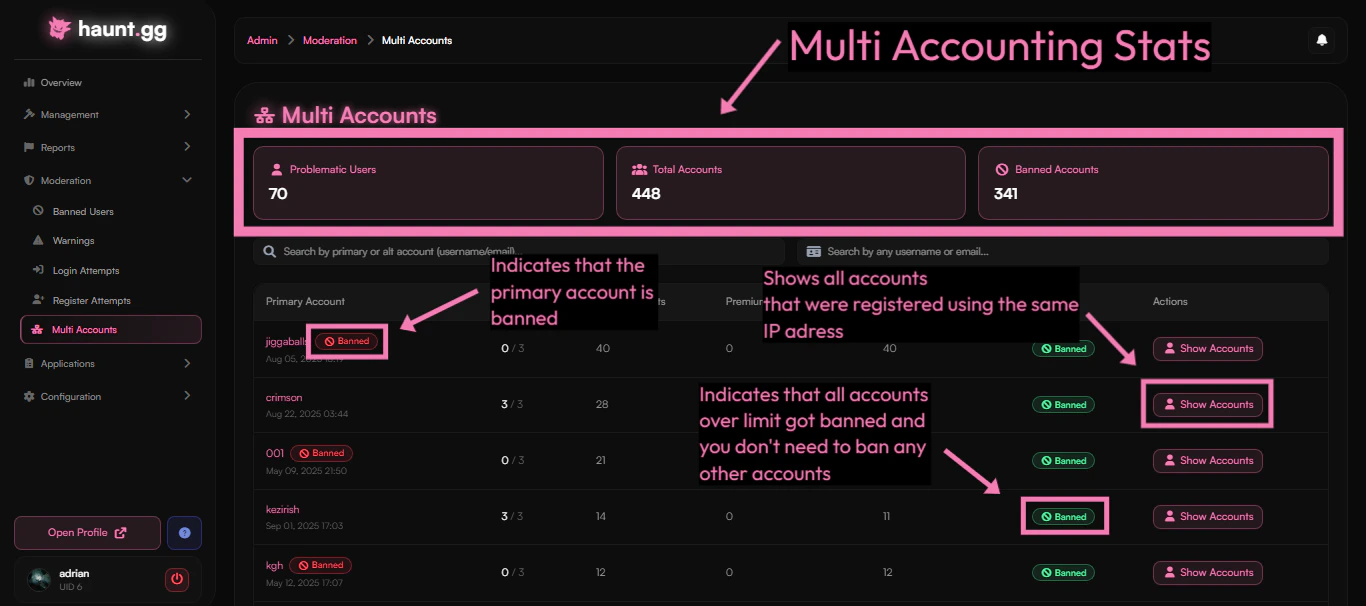
Our admin dashboard can be accessed via haunt.gg/admin. It provides useful tools such as viewing detailed user information, banning users with preset reasons, and checking for multi-account limit violations.Documentation Index
Fetch the complete documentation index at: https://staff.help.haunt.gg/llms.txt
Use this file to discover all available pages before exploring further.
- User Management
- Multi Accounts
- Applications
A user list can be found under 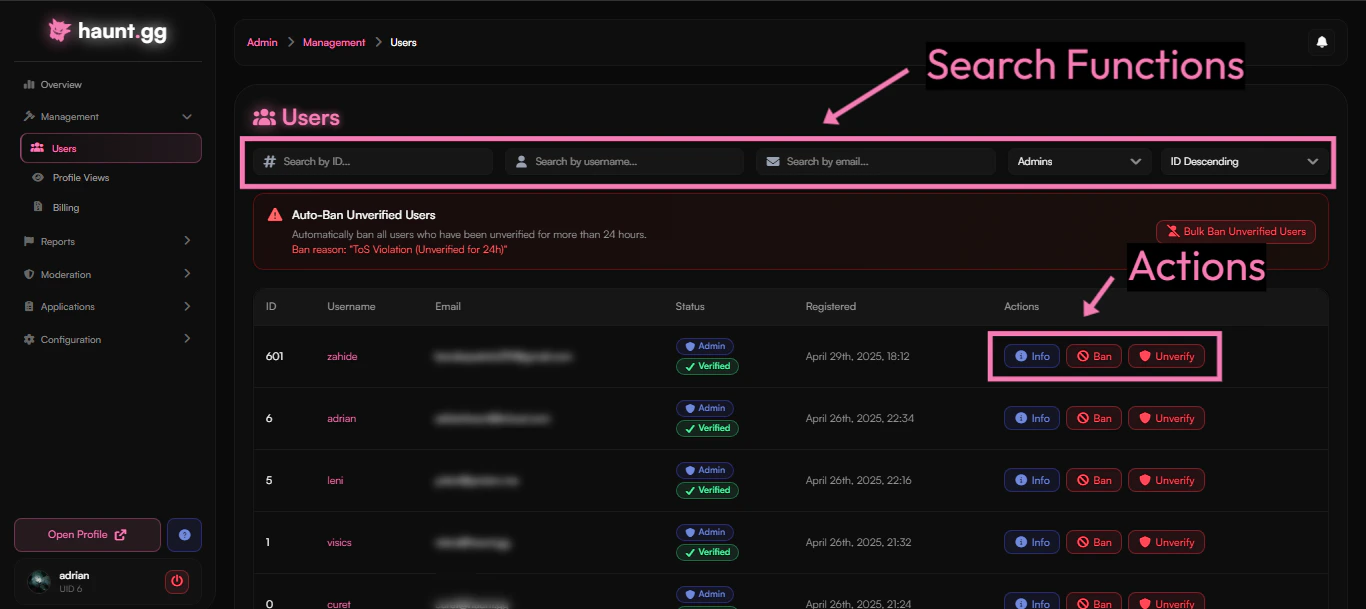
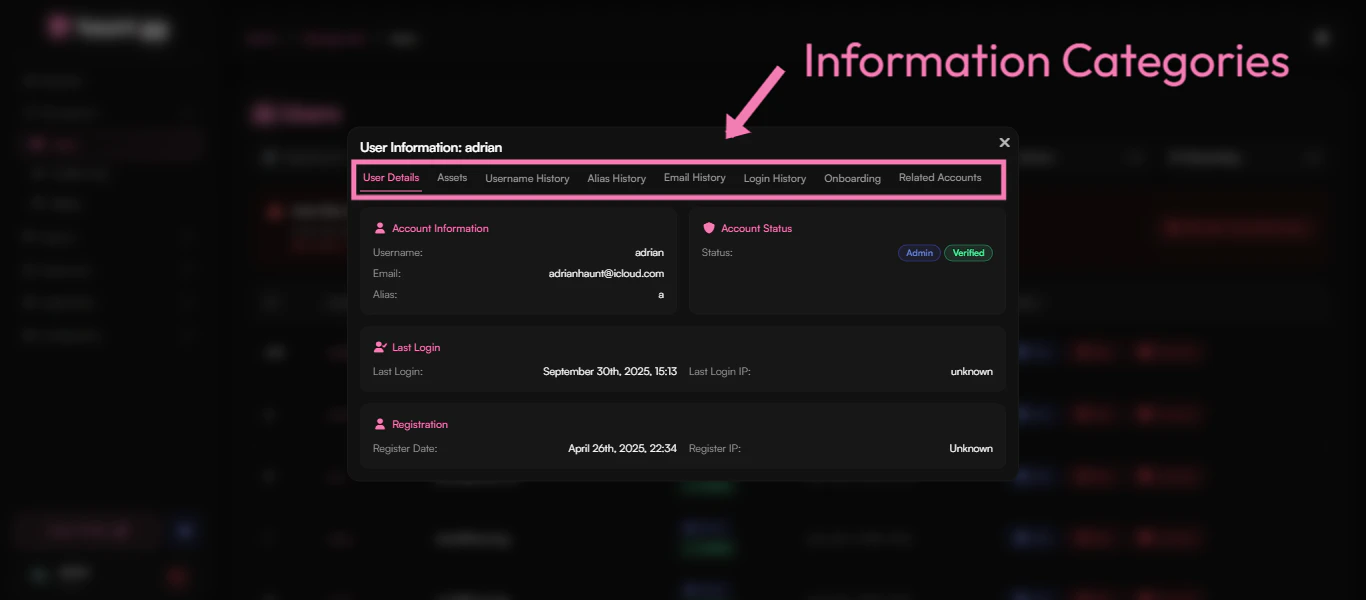
Management/Users.
From there you can search for users and view their account information.
Next to each user you will see an Actions tab with three buttons:- Info → View detailed user information
- Ban → Ban a user
- Verify/Unverify → Verify or unverify a user’s email